Collection: Hydro-Cooled Bitcoin Miners

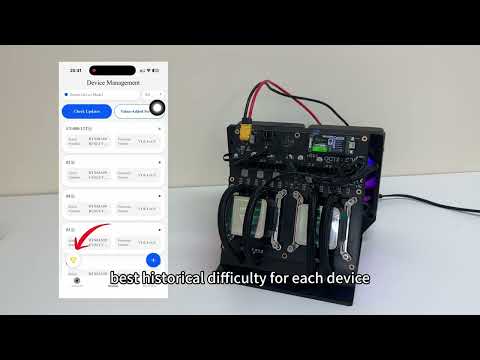
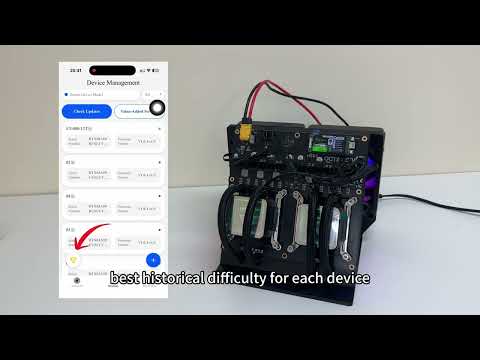
Compare NerdQaxe Hydro Bitcoin miners by hashrate, complete-system power, cooling-loop design and installation requirements. Hydro-cooled miners transfer ASIC heat into a liquid loop and radiator, which can support compact high-hashrate hardware but adds pumps, tubing, fittings, coolant and maintenance. Review the exact package contents, radiator placement, power supply, sound measurements, operating temperature and leak-testing instructions for the 6 or 12 TH/s product. 

How to install a hydro-cooled Bitcoin miner

  1.  Confirm every included loop component and obtain any required coolant or tools.
  2.  Position the radiator where airflow and heat discharge are not obstructed.
  3. Inspect tubing and fittings, then perform the documented leak check before powering the electronics.
  4. Connect the specified power supply and configure Wi-Fi, wallet and pool settings. 
  5.  Monitor coolant flow, pump status, temperatures, sound and connections during initial operation.

Frequently Asked Questions

1. What is the difference between the NerdQaxe Hydro 6T and the 4.8T Hydro version?

Both models are compact hydro-cooled home Bitcoin miners based on the BM1370 ASIC platform. The 6T configuration targets a higher hashrate by using a more performance-focused operating profile and corresponding power delivery.

The 4.8T version is better suited to customers who prioritize lower power consumption and conservative operation. The 6T version is intended for users who want approximately 25% more target hashrate while keeping a much smaller power and heat requirement than a 12T miner.

The 6T version will generally consume more electricity and place greater demand on the power supply and voltage regulators, so cooling, power stability and operating settings remain important.

2. Is 6 TH/s a stable hashrate or only a short-term peak?

The NerdQaxe Hydro 6T is designed to operate at approximately 6 TH/s under suitable power, cooling and firmware conditions. It should not be interpreted as an identical reading every second.

Short-term hashrate can move above or below 6 TH/s. Sustainable performance depends on individual ASIC characteristics, input voltage, coolant temperature, voltage-regulator temperature, firmware, pool latency and hardware-error rate.

Allow the miner to stabilize and evaluate its average pool-side hashrate and accepted shares over several hours. A slightly lower but stable hashrate with fewer errors can be more useful than a higher display reading accompanied by rejected shares, overheating or repeated restarts.

3. What should I do if the miner reports a PSU or current-protection error?

First, turn off the miner and allow it to cool. Check that the power supply matches the voltage and current requirements of the delivered model, and inspect the DC cable and connector for looseness, discoloration or unusual heat.

Confirm that the hydro pump and radiator fan operate when the miner starts. Then return the frequency and voltage to the factory profile before testing again. An unstable power supply, insufficient current capacity, excessive operating settings or a poor connector can all cause protection errors or restarts.

Do not bypass a protection circuit, install a higher-rated fuse or increase the supply voltage without manufacturer approval. If the error continues at factory settings, record the AxeOS error message, temperatures and power readings and contact UStarMiner support before attempting hardware modification.

4. Why must I monitor the VRM temperature if the ASIC is water-cooled?

The hydro system primarily removes heat from the BM1370 ASIC chips. The voltage-regulator components on the circuit board may not receive the same direct liquid cooling and can sometimes run warmer than the ASIC temperature shown on the main display.

For reliable operation, monitor both ASIC and VRM temperatures in AxeOS. Keep airflow around the circuit board unobstructed and ensure that the radiator exhaust is not recirculated toward the miner.

If VRM temperatures increase while the ASIC remains cool, improve room airflow or reduce the operating profile. Do not assume that a low ASIC temperature automatically means that every component on the board is operating at a suitable temperature.

5. Should I choose the NerdQaxe Hydro 6T or a 12T miner?

Choose the NerdQaxe Hydro 6T if you want a compact, relatively quiet home miner with a target hashrate of approximately 6 TH/s and power consumption around the 100W class. It is generally easier to place in a home office or small mining setup.

A 12T miner provides approximately twice the target hashrate, but it also requires substantially more power and releases more heat. UStarMiner’s 12T air-cooled model is rated at approximately 240W, and the Hydro version adds a larger cooling and installation requirement.

The 6T model is the more balanced option for noise-sensitive or power-conscious home users. The 12T model is better suited to buyers whose priority is higher hashrate and who already have suitable power, ventilation and installation space.