By Ustarminer Engineering Team
Use the first day to confirm that the delivered miner starts normally, cools correctly and submits work under your own receiving identity. Record its hardware, original adapter, firmware and stock settings before tuning anything. That gives you a useful reference if its behavior changes later.
Begin with the shipment and power labels, complete the setup for the actual model, then observe current jobs, accepted shares, temperatures and interruptions. A few consistent readings and a clear event history are more useful than a collection of peak hashrate screenshots.
Contents

1. What should you check in the delivered kit?
Compare the delivered unit and accessories with the selected order option. Record the board or product identification, required input, adapter model and cooling assembly. Keep photographs of relevant labels privately, excluding activation information from anything shared publicly.
Resolve a missing or inconsistent power label before applying a replacement supply. Familiar model names can cover different voltage generations, and connector fit does not establish compatibility. Include the original fan, cooler and stand when identifying the complete kit.
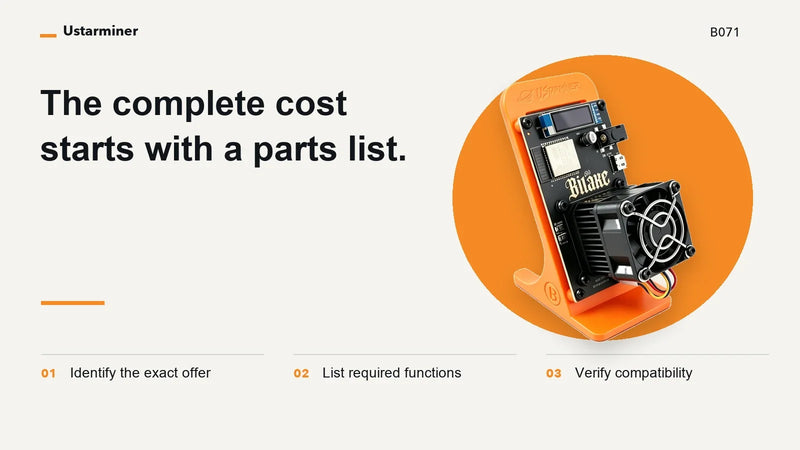
The current Gamma 601 uses a BM1370bc ASIC, rated 1.2TH/s, with a 12V/3A/36W adapter, 40×40×20mm black aluminum heatsink and an 8000RPM hydraulic-bearing fan. The current Gamma 602 uses a BM1370pf ASIC, rated 1.8TH/s standard or 2.0TH/s performance, with a 12V/4A/48W adapter, 40×40×40mm copper-pipe tower and a 15000RPM ball-bearing fan. Adapter ratings are capacity, not actual wall draw; the original adapter label and cooler are clues, but a replaced adapter cannot identify a board. Identify the delivered fan by its actual model when service is needed.
Current kits include the ASIC/controller board, cooler, fan, matched adapter and desktop stand; the owner supplies Wi-Fi and a phone/computer. Packaging bearing the old Starminer brand and the current Ustarminer brand coexists. A package logo does not identify board revision or input voltage: verify the actual device and original supply information.
Use the 601 Smart Edition setup guide for that model's onboarding. Keep the installed version in the record if its interface differs, and use the appropriate model instructions for another unit.
2. Start with the model’s stock configuration
Record the installed firmware and documented stock profile. Preserve the receiving identifier, selected service and worker name privately. A configuration you cannot identify is a poor starting point for diagnosing a later difference.
Do not begin the first-day record by changing frequency, voltage, firmware and cooling together. If an issue appears, that combination makes it difficult to distinguish a delivered condition from an intervention. Establish the normal baseline first.
Factory settings are 525 MHz/1150 mV for the 601 and 900 MHz/1150 mV for the 602. These are core settings, distinct from the 12V input. Keep the chosen operating mode recorded separately from the core frequency and voltage fields.
For the described 601 first-run procedure: use the original 12V supply, wait for BITAXE SELF-TEST (about 30 seconds), press RESET after success, join Bitaxe_XXXX, then open its configuration page or 192.168.4.1. Enter Wi-Fi credentials, Stratum Host/Port and your Bitcoin receiving address in User, replacing the factory test address; Save/Restart. Confirm local hashrate, temperature, accepted-share responses and the same identity at the chosen pool. The miner receives jobs from the service and submits qualifying shares to it.
Use 2.4 GHz WPA/WPA2; 5 GHz is unsupported. A combined 2.4/5 GHz network name can work if it offers that compatible connection. Find the assigned local IP on the OLED or router DHCP list, and use the same permitted LAN for management.
Record settings as they actually appear, including units. Copying a value from another board would make the worksheet appear complete while losing its link to the delivered unit.
3. How do you confirm that setup worked?
Start with normal boot and required cooling. Then verify the intended network connection and local access through the documented method. A lit display proves less than those separate checks.
Next, confirm the service endpoint and saved receiving identity. Look for current jobs and accepted work under the intended worker. Use the badge and local hashrate as context, then confirm that the service accepted work.
Compare the receiving address in the saved configuration with the identity shown at the service. Replacing the factory test address is essential: a connected miner can still be submitting work under the wrong destination.
4. Observe a consistent period and record interruptions
Separate boot and initial settling from the interval used to describe sustained behavior. Record the start and end times, time zone and any gaps. Keep intake conditions and operating settings beside the observations.
Local hashrate is a short-window estimate; pool hashrate is a sliding estimate inferred from accepted shares. Keep the observation source with each reading. Runtime starts at power-on or the latest restart, while online describes network/App connectivity. If you compare local and pool estimates, retain each estimator's actual documented window. A pool's trailing figure can include earlier activity or vary with share arrivals. An immediate mismatch is not enough to classify the hardware as defective.
Record resets and network events rather than hiding them by restarting the test repeatedly. If you choose a new clean interval after resolving an issue, preserve both the original event and the reason for beginning again.
What belongs in a first-day operating record?
| Record area | Useful information |
|---|---|
| Identity | Model, revision, supply, firmware and supported profile |
| Work | Current jobs, accepted activity, local and service windows |
| Cooling | Intake air, identified internal sensor and fan observations |
| Power | AC measurement boundary, instrument and cumulative energy if measured |
| Events | Resets, lost connections, interventions and unavailable readings |
For an example timeline, the unit boots at 09:00UTC, begins accepting work at 09:08 and loses network contact at 13:10 while uptime remains unchanged. The router log records an outage at the same time. That pattern directs the investigation differently from a miner reboot preceding every disconnect.
Save both the connection-loss time and the unchanged uptime. Those observations help separate a router outage from a device restart, even when both would produce a similar gap on the pool graph.
5. Review the record and keep unresolved issues visible
Review the recorded conditions as well as the numbers. Note whether the room warmed, whether anyone moved the miner and whether an interruption occurred. A first-day record is a baseline for this unit that you can repeat or compare later.
List open issues separately from resolved ones. A configuration field still requiring confirmation should not be converted into a pass because other functions work. Conversely, a statistical pool dip should not become a hardware failure without supporting evidence.
Save the record with the order and configuration information. If support is needed, send a concise redacted version through the official contact page. A well-documented first day makes later maintenance and comparisons easier.
Frequently asked questions
Can the package brand identify my power generation?
No. Old Starminer and current Ustarminer packaging coexist. Check the actual device/original supply information and resolve uncertain legacy hardware through support.
Should I overclock during the first day?
Establish the documented stock baseline first. Any supported tuning should be a separate recorded intervention, not part of proving the delivered configuration works.
Does one rejected share mean acceptance failed?
Read the rejection reason and its time alongside current jobs and other accepted activity. Preserve the exact message so a repeated pattern can be investigated.
Is a block reward required for the miner to pass?
No. Useful operation can be verified through jobs and accepted work. Solo block discovery is a separate rare outcome, not an acceptance-test deadline.